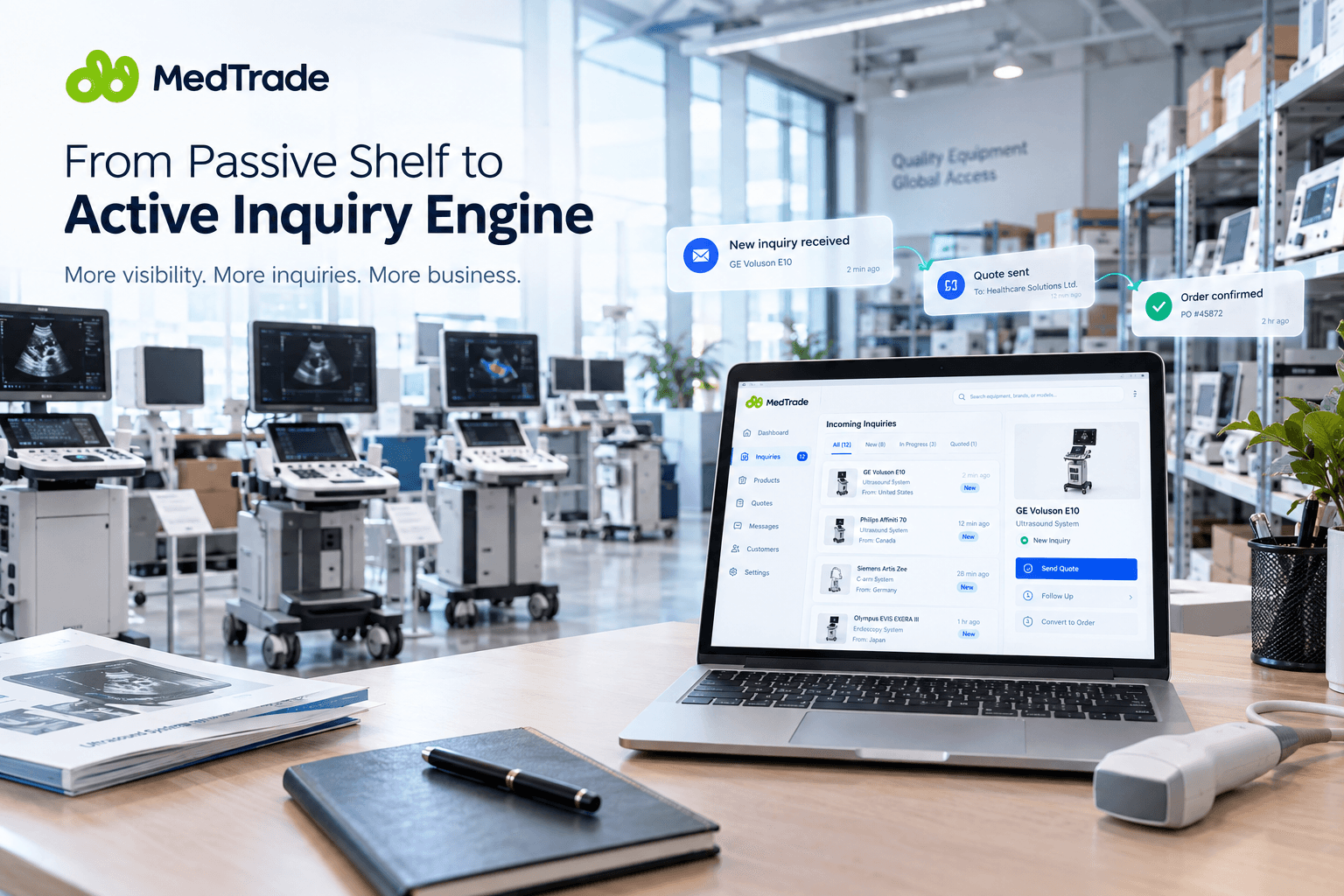
You have put a full catalog on the platform — product images, specs, prices, all filled in. A week later, the inquiry inbox is quiet. You suspect your equipment is not good enough, but the likelier problem is elsewhere: you treated the platform like a shelf, and it is an inquiry engine. This guide gives you an action list that turns "listed" into "inquired → quoted → won."
Why a List Doesn't Get You Inquiries — the Platform Is an Inquiry Engine, Not a Shelf
Listing Is the Start, Not the Finish
Most sellers think "set it and forget it." That is shelf thinking — arrange the equipment, wait for buyers to browse by. But the core loop of a marketplace like MedTrade is not "display"; it is inquiry: a buyer searches equipment, sees your product, sends an inquiry, you receive it in your workbench, reply, quote, and the buyer accepts or rejects. Your product is only the first link in this chain, and every link after it has to be actively caught by you.
What a Buyer Is Actually Doing on the Platform
A buyer is not browsing for fun — the buyer is comparing and deciding. The buyer is picking between several sellers at once: which has more complete credentials, which replies faster, which looks more dependable. The buyer will look at your product photos, but will also notice what is missing from your profile — no certifications, no photos, no clear quotes, and every gap is a reason to swipe away.
The Hidden Pain: Exposure Is Not Inquiry, and No One Bridges the Gap for You
The platform gives you exposure (your equipment can be found), but between "exposure" and "buyer clicks send inquiry" lies a chasm — trust. The buyer is unsure who you are, whether your equipment is dependable, who to go to for after-sales, so the buyer hesitates to send an inquiry. No one bridges this gap for you; you have to build trust on your own.

Lay the Foundation: Make Your Supplier Profile Look Trustworthy
The Profile Skeleton: What a Buyer Scans
Your profile is your storefront, and a buyer who lands reads through it in seconds. A complete profile makes one glance answer: who you are, what you sell, whether you are dependable, how to reach you. Each element answers one of these — company name, company details (what you do, how long), credential badges, product list, service list, Gallery image wall, and contact details.
Trust by Design: Complete Information Eliminates Uncertainty
The biggest barrier to a cross-border equipment purchase is "I can't see the physical unit." What you can do is make your information complete enough that there is nothing left to guess — the more specific your company details, the more real your images (site, actual unit, close-ups), the more you surface your credentials. Every bit of uncertainty you erase, up goes the buyer's willingness to inquire.
The Cautionary Tale: How an Under-Filled Profile Sends Buyers Away
The classic problem: a profile with nothing but a bare product list — no company intro, no contact details, no credentials, stock images. A buyer who sees a seller they cannot place immediately thinks, "Never mind, I'll look elsewhere." Your profile is not there to display; it is there to persuade.
 see how other suppliers build their profiles
Get the Badge — How to Earn the Verified Supplier Badge and Why It Lifts Conversion
What You Need to Submit: ISO 13485 / CE / FDA Registration / NMPA + Business License
The Verified Supplier badge on MedTrade is not given out casually. You upload documents that prove you are a credentialed, compliant seller: international quality-system standards (such as ISO 13485), market-entry approvals for specific regions (CE, FDA registration, NMPA), and your business license. To a buyer these are hard evidence — "this company is legitimate."
How to Get It: Upload Credentials → Human Review → Green Shield Lights Up
Here is the flow: you upload the documents → a platform administrator reviews them by hand (not an automatic pass) → on approval, a Verified green-shield badge lights up on your profile. The operative word here is "human review" — it means a platform team has looked at your credentials, not that you clicked upload and got ticked off.
The Badge and Conversion: A Trust Signal, Not a Transaction Guarantee
When a buyer sees the Verified badge, the first reaction is "this seller has been vetted by the platform, so the risk is lower," and that directly lifts the willingness to inquire. But be clear about the boundary: the badge is the platform's trust signal for your credentials, and it is not a transaction guarantee. It proves you are compliant; it does not guarantee this particular deal goes smoothly. It lowers the other side's guard; it does not backstop your performance.
⚠️ Watch Out: Do not treat the Verified badge as a safety net for the deal itself. It signals "this supplier's credentials passed review," not "this transaction is protected." Any promise of security must rest on your own fulfillment and terms — not on the badge.
 register and upload your credentials
Build the Evidence — Why Repair Reports Are a Trust Goldmine Unique to Medical Equipment Sellers
What a Structured, Public Repair Record Looks Like
On MedTrade you can create Repair Reports: a public, structured repair record containing brand, model, a de-identified serial number, fault description, before-and-after measurement values, and repair photos. Once published it generates a public page with a signed link, a QR code, and a PDF download, and it is searchable in the Repair Report Plaza with no login needed.
Why "Repair History" Wins Deals Fast
Medical equipment is not an ordinary product; it carries a traceable "medical record": what was fixed, what was replaced, what the parameters were afterward. That record is closer to the equipment's true condition than any sales pitch. When you voluntarily show repair history, you are telling the buyer, "I am laying open exactly what this unit has been through" — and in medical equipment deals, that is an extremely strong trust signal.
How to Build One: Create → Publish → Public Page + Signed Link + QR + Searchable Plaza
Creating one is not complicated: create it on the platform, fill in brand/model/fault/before-after measurements/photos, publish, and it becomes a public page. It does more than help you win a deal — it is searchable in the Plaza, so it advertises your expertise to more buyers.
 browse the Repair Report Plaza
Turn Inquiries into Orders — Response Speed, Quote Quality, and Running Multiple Concurrent Deals
Response Speed: First to Reply Wins the First Move
A buyer usually sends inquiries to several suppliers at once, and the first to reply gets the first move. The platform does not guarantee response speed — precisely because it is not guaranteed, speed becomes your edge. As soon as you receive an inquiry, respond; even a quick "received, full quote to follow" beats silence. The more promptly you reply, the more dependable the buyer finds you and the more likely they keep talking.
Quote Quality: A Clear Spec Sheet + Terms + a Next Step Beats Vague Jargon
A quote is not just a stream of numbers. A good quote states the equipment specs and condition, lists the price and what is and is not included, sets out delivery and after-sales terms, and gives an explicit next step ("once you confirm, I'll arrange inspection / send the contract"). Clear tables and terms say "yes" more than "price negotiable" or a pile of jargon. A quote that is easy to understand is itself a form of trust. This is also where how buyers actually assess a supplier matters most — the more you mirror what buyers check, the more a fair quote lands.
Run Multiple Deals in Parallel: Do Not Back One Horse
Do not fixate on one or two potential buyers, and do not let others go cold just because one is undecided. Use the platform's tools to advance several inquiries at once — opportunities are scattered, so don't pin your hopes on a single lead. Buyers don't know about each other, and as you run them in parallel, at least one will move toward a close.

The Deep Dive — No One Backstops the Deal: Design Your Own Conversion Funnel and Fulfillment
Why You Should Not Just Wait for Inquiries
If you only list your equipment and wait for buyers to knock, conversion is entirely up to chance. MedTrade provides the inquiry and quoting tools; it does not underwrite your deals. Conversion rate is something you can pull up yourself — from listing products, optimizing your profile, earning the badge, building Repair Reports, to responding fast, quoting well, and fulfilling what you promised. This is a flywheel you turn, not something handed to you by the platform.
Fulfillment and Quality Are Yours: No Platform QC, No Platform Guarantee
Hold one red line: equipment quality and the accuracy of your descriptions are your own responsibility. The platform does not test equipment, does not endorse refurbished units, and does not mediate your deals, payments, or delivery with buyers. This means every line in your quote is a promise you make good on, and every sentence on your profile is one you own. Keep the quality up, and the flywheel turns.
Build the Funnel Yourself
Chain the actions into a loop: list products → optimize your profile → earn the Verified badge → build Repair Reports → respond fast → quote well → fulfill what you promise, then back to listing. Every turn makes your profile more credible and your conversion higher. This loop is yours; the platform provides the tools, whether it turns and how fast is up to you. For context on refurbished-vs-new, see what buyers weigh when they see a refurbished unit.

💡 Expert Insight: In B2B medical equipment deals, what a buyer fears most is not the price — it is being wrong. When you proactively lay open your credentials, repair history, and quote terms, you are erasing the buyer's fear of being wrong — and that does more to make them press "send inquiry" than any pitch.